Original: $280.00
-70%$280.00
$84.00The Story
Old-school Looks, Modern-day Features
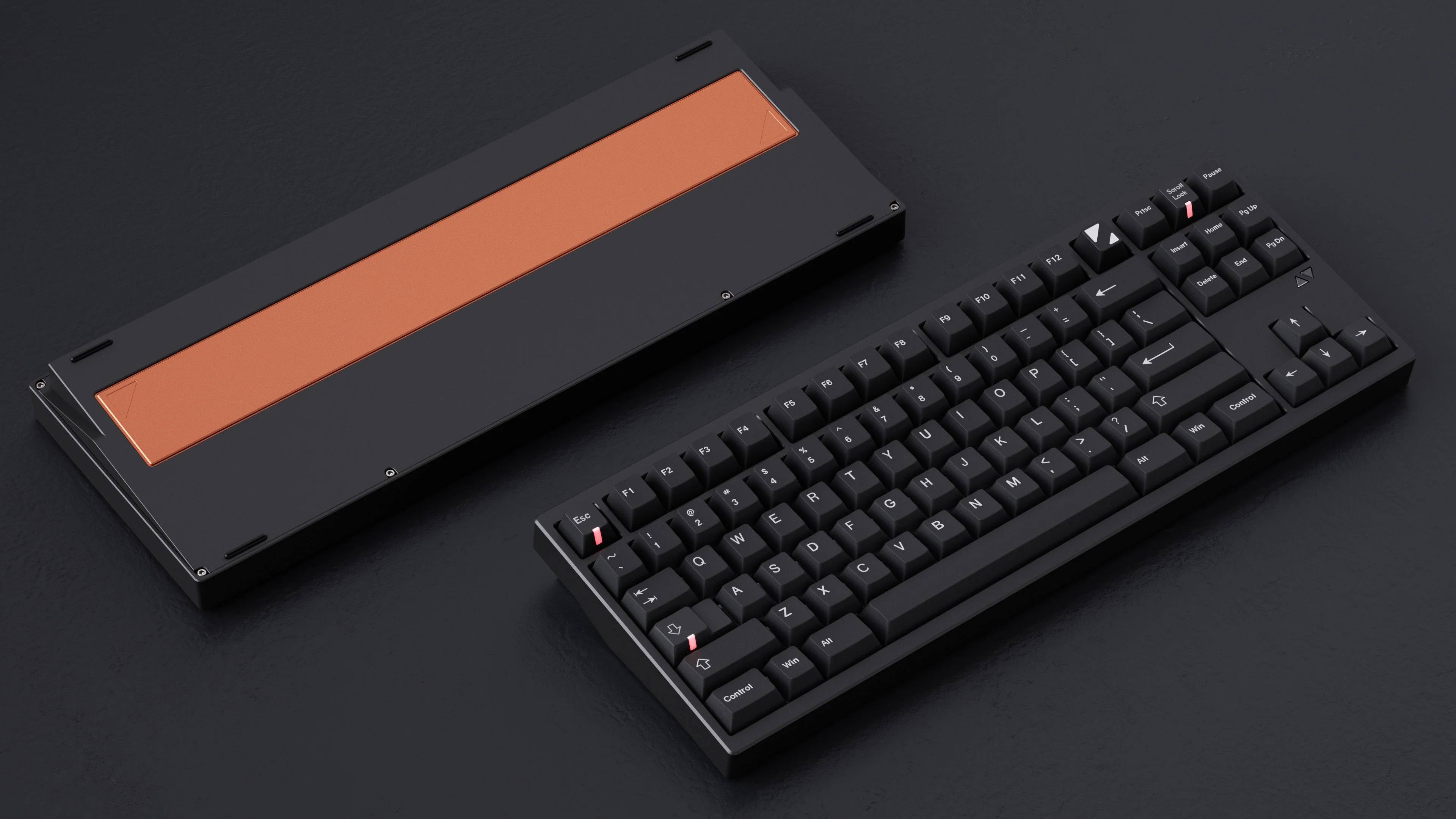
Say hello to the LuminKey80—a retro-inspired mechanical keyboard that combines old-school cool with all the functionality you need. With its 80% layout, comfy gasket mount, hot-swappable PCB, and multiple connection options, the LuminKey80 is here to make your typing experience both super smooth and gorgeously retro.
Aluminum body
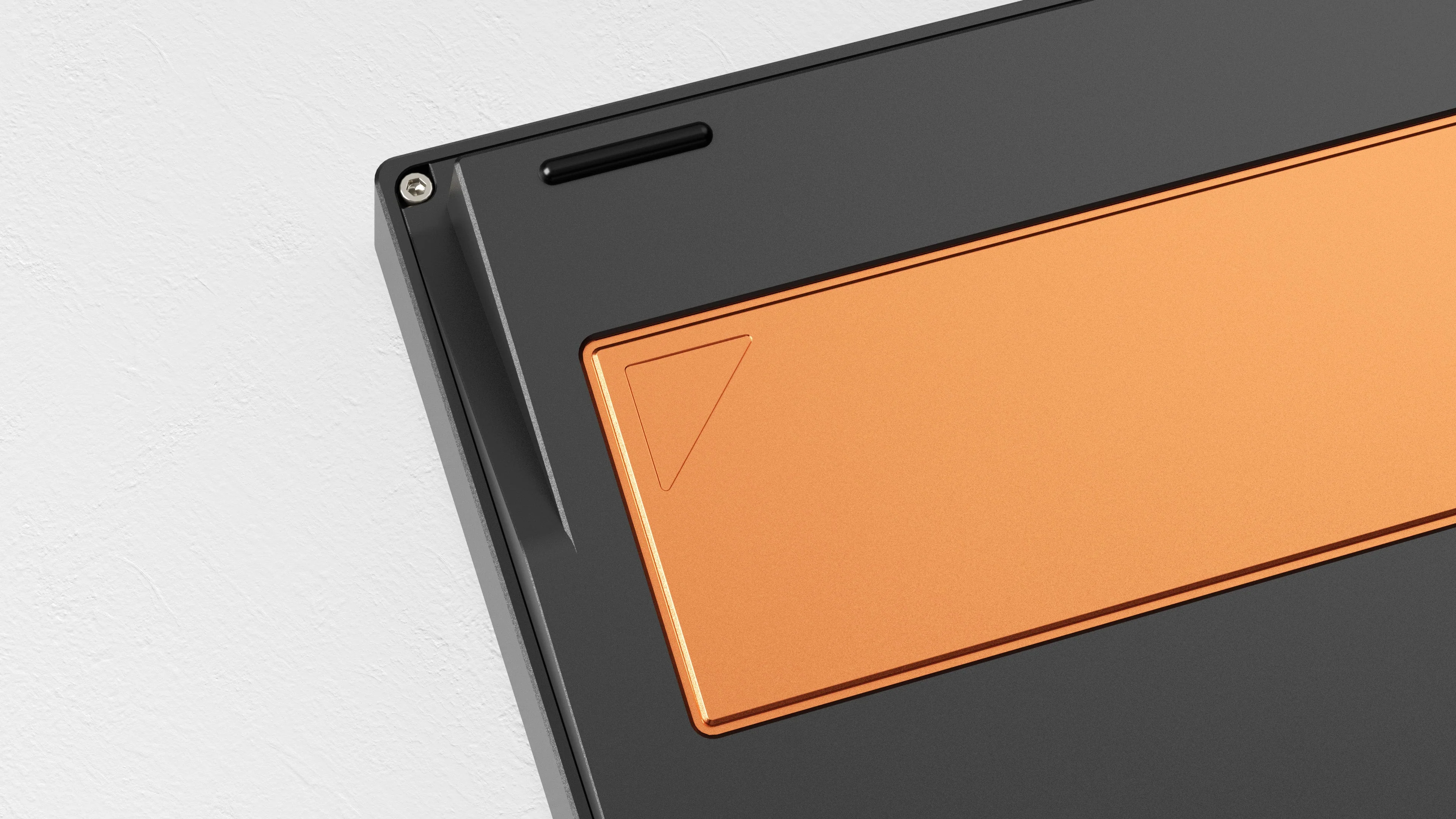
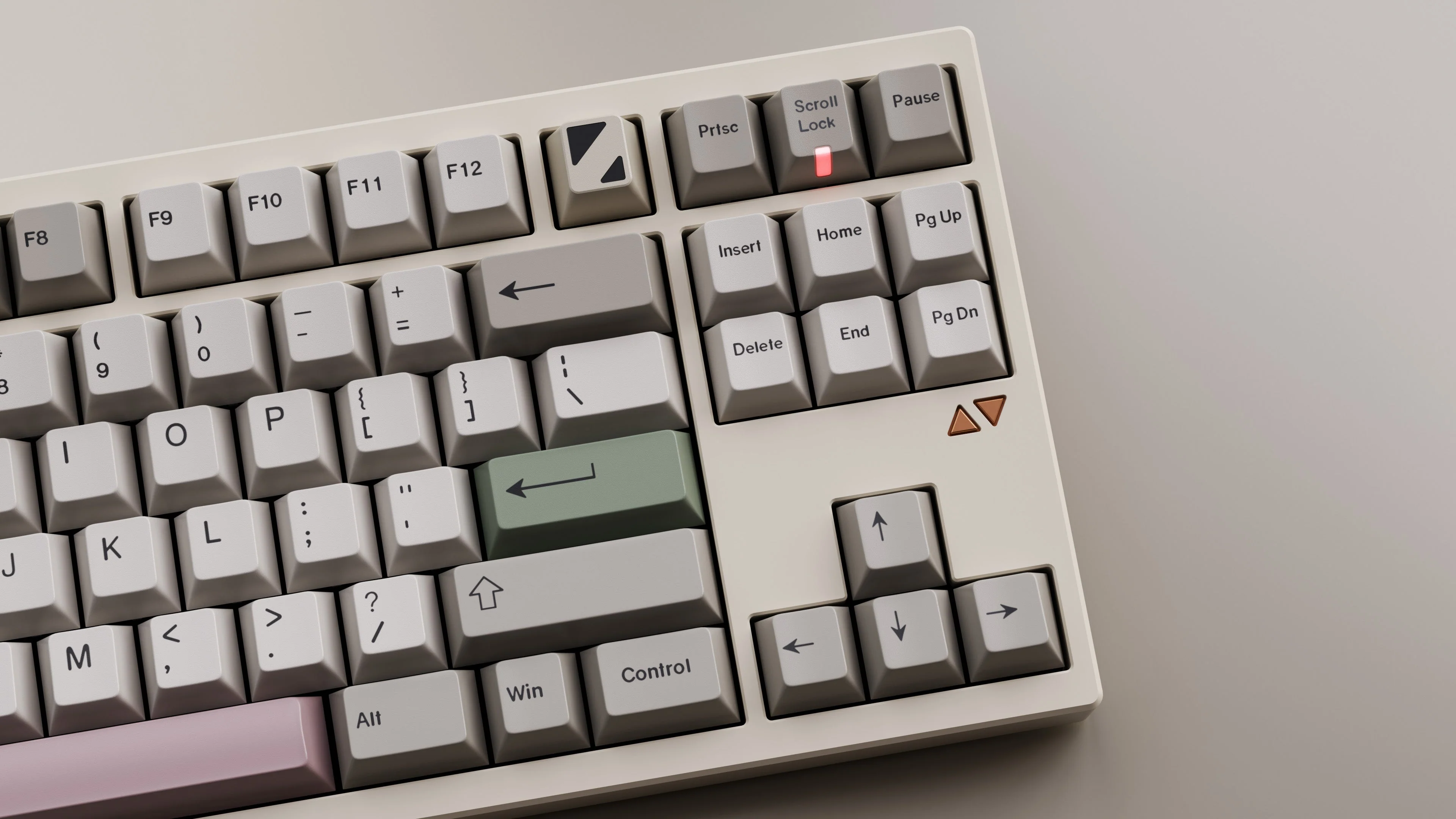
Crafted from 6063 CNC aluminum, the LuminKey80 is both rugged and stylish. The red copper weight and badge add some heft and a premium feel, while the matte surface keeps fingerprints at bay and prevents oxidation. The PBT dye-sublimated keycaps are durable and won’t fade over time.
Wired, Wifi, or Bluetooth: Your call
Whether you like wired, 2.4G, or Bluetooth connections, the LuminKey80 has you covered. Enjoy low latency with 8ms in wired mode, 9ms in 2.4G, and 13ms in wireless.
Hot-swappable PCB
Customize your typing with the LuminKey80's hot-swappable PCB. Easily switch between ANSI and ISO layouts without soldering. Plus, the gasket mount provides a soft, cushioned typing feel.
Smooth stabilizers and switches
The LuminKey80 features Gateron plate mount stabilizers and the all-new LuminKey Sylva switches. Inspired by natural landscapes, these switches provide a smooth, comfortable typing experience with a satisfying tactile feel.
Customizable lighting
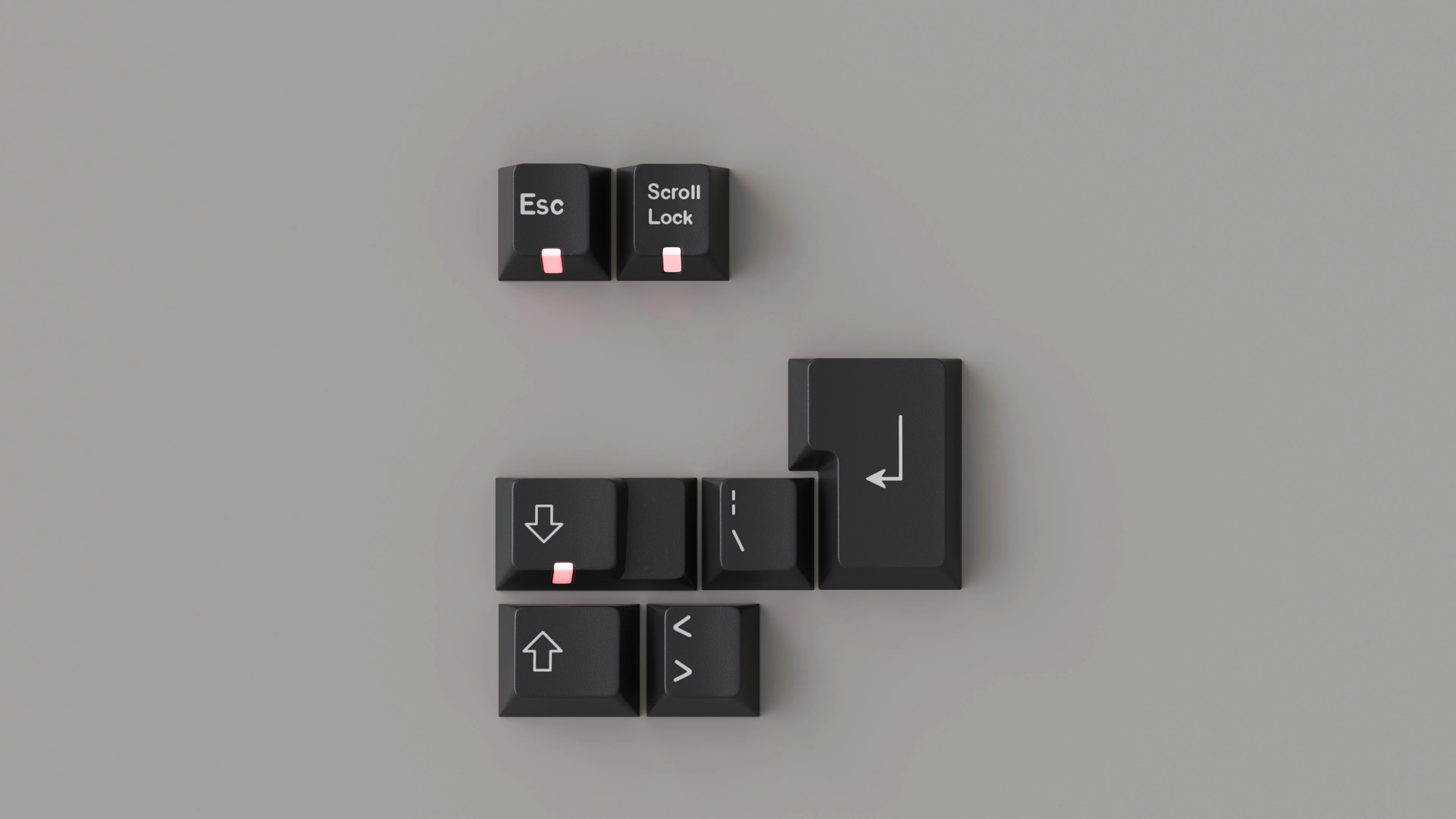
The LuminKey80 comes with iconic indicator lights that you can customize to fit your style. These lights add a personal touch, making your keyboard uniquely yours.
Product highlights
-
80% ANSI/ISO layout
-
6063 CNC aluminum case
-
Red copper weight and badge
-
PBT dye-sublimated keycaps
-
Wired, 2.4G, and Bluetooth connectivity
-
Hot-swappable PCB
-
Gasket mount for added comfort
-
Gateron plate mount stabilizers
-
LuminKey Sylva switches
-
Customizable indicator lights
Specs
-
Size: 14.13 x 5.35 x 0.75 inches (359 x 136 x 19 mm)
-
Box size: 17.32 x 8.27 x 0.55 inches (440 x 210 x 14 mm)
-
Layout: 80% ANSI/ISO
-
Mounting: Gasket mount
-
Support: QMK & VIA
-
Cable type: Type-C data cable
-
Switches: LuminKey Sylva switches
-
Stabilizers: Gateron plate mount stabilizers
-
Connectivity: Wireless/2.4G/Wired
-
Compatible system: Windows/MacOS
-
PCB: 1.6mm hot-swap
-
Plate: 1.5mm PC plate
-
Case material: 6063 CNC aluminum
-
Weight: Red copper
-
Badge: Red copper
-
Keycaps: PBT dye-sublimated keycaps
-
Color options: Ano-Silver, E-Retro White, Ano-Black
-
Switch specs
-
Rating: 12VAC/DC Max. 2VDC Min. 10mA AC/DC Max, 10μA DC Min
-
Contact Resistance: 200mΩ Max
-
Insulation Resistance: 100MQ Min (DC100V)
-
Withstand Voltage: AC100V (50~60Hz) for 1 minute
-
Bounce Time: 5ms Max (at 16 in/sec. actuation speed)
-
Operation Force: 50+15gf
-
Pretravel: 2.0+0.5mm
-
Total Travel: 3.7+0.2mm
-
Operation Life: 80,000,000 Cycles (min)
-
Trigger Pressure: 48g
-
Spring Gold Plated Single Segment: 20mm
-
Switch Materials: Upper cover: Nylon, Axis: POM, Bottom shell: Nylon, Bottoming pressure: 55g
-
-
Polling rate
-
Wired: 1000Hz
-
2.4G: 1000Hz
-
Wireless: 125Hz
-
What's included
-
LuminKey80 Mechanical Keyboard (fully assembled)
-
Type-C data cable
-
User manual

Details & Craftsmanship
Every detail has been carefully considered to bring you the perfect product.

Details & Craftsmanship
Every detail has been carefully considered to bring you the perfect product.

Details & Craftsmanship
Every detail has been carefully considered to bring you the perfect product.

Details & Craftsmanship
Every detail has been carefully considered to bring you the perfect product.

Details & Craftsmanship
Every detail has been carefully considered to bring you the perfect product.

Details & Craftsmanship
Every detail has been carefully considered to bring you the perfect product.

Details & Craftsmanship
Every detail has been carefully considered to bring you the perfect product.

Details & Craftsmanship
Every detail has been carefully considered to bring you the perfect product.

Details & Craftsmanship
Every detail has been carefully considered to bring you the perfect product.

Details & Craftsmanship
Every detail has been carefully considered to bring you the perfect product.

Details & Craftsmanship
Every detail has been carefully considered to bring you the perfect product.

Details & Craftsmanship
Every detail has been carefully considered to bring you the perfect product.

Details & Craftsmanship
Every detail has been carefully considered to bring you the perfect product.

Details & Craftsmanship
Every detail has been carefully considered to bring you the perfect product.
Details & Craftsmanship
Every detail has been carefully considered to bring you the perfect product.

Details & Craftsmanship
Every detail has been carefully considered to bring you the perfect product.

Details & Craftsmanship
Every detail has been carefully considered to bring you the perfect product.

Details & Craftsmanship
Every detail has been carefully considered to bring you the perfect product.

Details & Craftsmanship
Every detail has been carefully considered to bring you the perfect product.

Details & Craftsmanship
Every detail has been carefully considered to bring you the perfect product.

Details & Craftsmanship
Every detail has been carefully considered to bring you the perfect product.
Details & Craftsmanship
Every detail has been carefully considered to bring you the perfect product.
Details & Craftsmanship
Every detail has been carefully considered to bring you the perfect product.

Details & Craftsmanship
Every detail has been carefully considered to bring you the perfect product.

Details & Craftsmanship
Every detail has been carefully considered to bring you the perfect product.

Details & Craftsmanship
Every detail has been carefully considered to bring you the perfect product.

Details & Craftsmanship
Every detail has been carefully considered to bring you the perfect product.
Details & Craftsmanship
Every detail has been carefully considered to bring you the perfect product.

Details & Craftsmanship
Every detail has been carefully considered to bring you the perfect product.

Details & Craftsmanship
Every detail has been carefully considered to bring you the perfect product.

Details & Craftsmanship
Every detail has been carefully considered to bring you the perfect product.

Details & Craftsmanship
Every detail has been carefully considered to bring you the perfect product.

Details & Craftsmanship
Every detail has been carefully considered to bring you the perfect product.

Details & Craftsmanship
Every detail has been carefully considered to bring you the perfect product.

Details & Craftsmanship
Every detail has been carefully considered to bring you the perfect product.

Details & Craftsmanship
Every detail has been carefully considered to bring you the perfect product.

Details & Craftsmanship
Every detail has been carefully considered to bring you the perfect product.
Description
Old-school Looks, Modern-day Features
Say hello to the LuminKey80—a retro-inspired mechanical keyboard that combines old-school cool with all the functionality you need. With its 80% layout, comfy gasket mount, hot-swappable PCB, and multiple connection options, the LuminKey80 is here to make your typing experience both super smooth and gorgeously retro.
Aluminum body
Crafted from 6063 CNC aluminum, the LuminKey80 is both rugged and stylish. The red copper weight and badge add some heft and a premium feel, while the matte surface keeps fingerprints at bay and prevents oxidation. The PBT dye-sublimated keycaps are durable and won’t fade over time.
Wired, Wifi, or Bluetooth: Your call
Whether you like wired, 2.4G, or Bluetooth connections, the LuminKey80 has you covered. Enjoy low latency with 8ms in wired mode, 9ms in 2.4G, and 13ms in wireless.
Hot-swappable PCB
Customize your typing with the LuminKey80's hot-swappable PCB. Easily switch between ANSI and ISO layouts without soldering. Plus, the gasket mount provides a soft, cushioned typing feel.
Smooth stabilizers and switches
The LuminKey80 features Gateron plate mount stabilizers and the all-new LuminKey Sylva switches. Inspired by natural landscapes, these switches provide a smooth, comfortable typing experience with a satisfying tactile feel.
Customizable lighting
The LuminKey80 comes with iconic indicator lights that you can customize to fit your style. These lights add a personal touch, making your keyboard uniquely yours.
Product highlights
-
80% ANSI/ISO layout
-
6063 CNC aluminum case
-
Red copper weight and badge
-
PBT dye-sublimated keycaps
-
Wired, 2.4G, and Bluetooth connectivity
-
Hot-swappable PCB
-
Gasket mount for added comfort
-
Gateron plate mount stabilizers
-
LuminKey Sylva switches
-
Customizable indicator lights
Specs
-
Size: 14.13 x 5.35 x 0.75 inches (359 x 136 x 19 mm)
-
Box size: 17.32 x 8.27 x 0.55 inches (440 x 210 x 14 mm)
-
Layout: 80% ANSI/ISO
-
Mounting: Gasket mount
-
Support: QMK & VIA
-
Cable type: Type-C data cable
-
Switches: LuminKey Sylva switches
-
Stabilizers: Gateron plate mount stabilizers
-
Connectivity: Wireless/2.4G/Wired
-
Compatible system: Windows/MacOS
-
PCB: 1.6mm hot-swap
-
Plate: 1.5mm PC plate
-
Case material: 6063 CNC aluminum
-
Weight: Red copper
-
Badge: Red copper
-
Keycaps: PBT dye-sublimated keycaps
-
Color options: Ano-Silver, E-Retro White, Ano-Black
-
Switch specs
-
Rating: 12VAC/DC Max. 2VDC Min. 10mA AC/DC Max, 10μA DC Min
-
Contact Resistance: 200mΩ Max
-
Insulation Resistance: 100MQ Min (DC100V)
-
Withstand Voltage: AC100V (50~60Hz) for 1 minute
-
Bounce Time: 5ms Max (at 16 in/sec. actuation speed)
-
Operation Force: 50+15gf
-
Pretravel: 2.0+0.5mm
-
Total Travel: 3.7+0.2mm
-
Operation Life: 80,000,000 Cycles (min)
-
Trigger Pressure: 48g
-
Spring Gold Plated Single Segment: 20mm
-
Switch Materials: Upper cover: Nylon, Axis: POM, Bottom shell: Nylon, Bottoming pressure: 55g
-
-
Polling rate
-
Wired: 1000Hz
-
2.4G: 1000Hz
-
Wireless: 125Hz
-
What's included
-
LuminKey80 Mechanical Keyboard (fully assembled)
-
Type-C data cable
-
User manual